4 Find, sort and open a customer
Access needed: Customer DB → View and access to the customer.
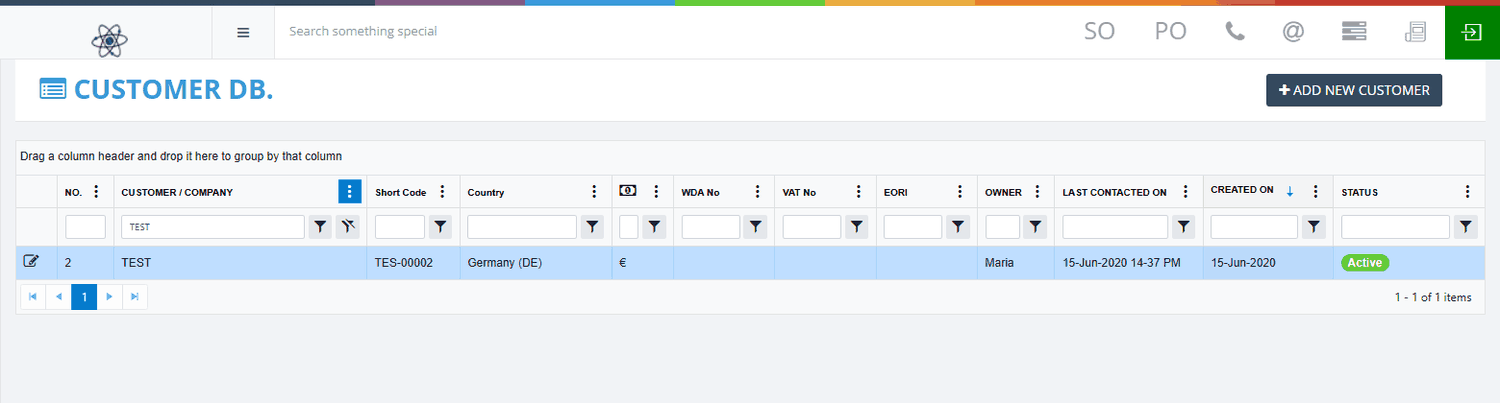
Find a customer
- Look at the small box under a column heading, for example CUSTOMER / COMPANY.
- Type part of the value in the box.
- Press Enter.
- To remove the search, clear the box and press Enter.
Result: The list shrinks to the matching customers and the count at the bottom updates. Text boxes match part of a word. The NO. box needs the exact number.
Sort, show or hide columns
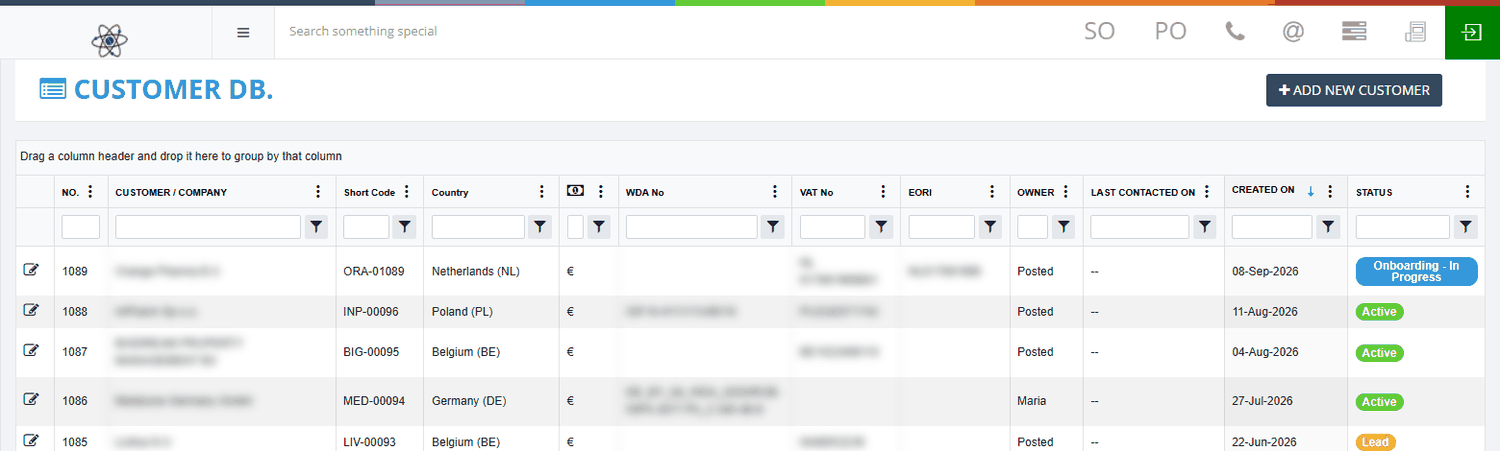
- Click a column heading to sort the list. Click it again to reverse the order.
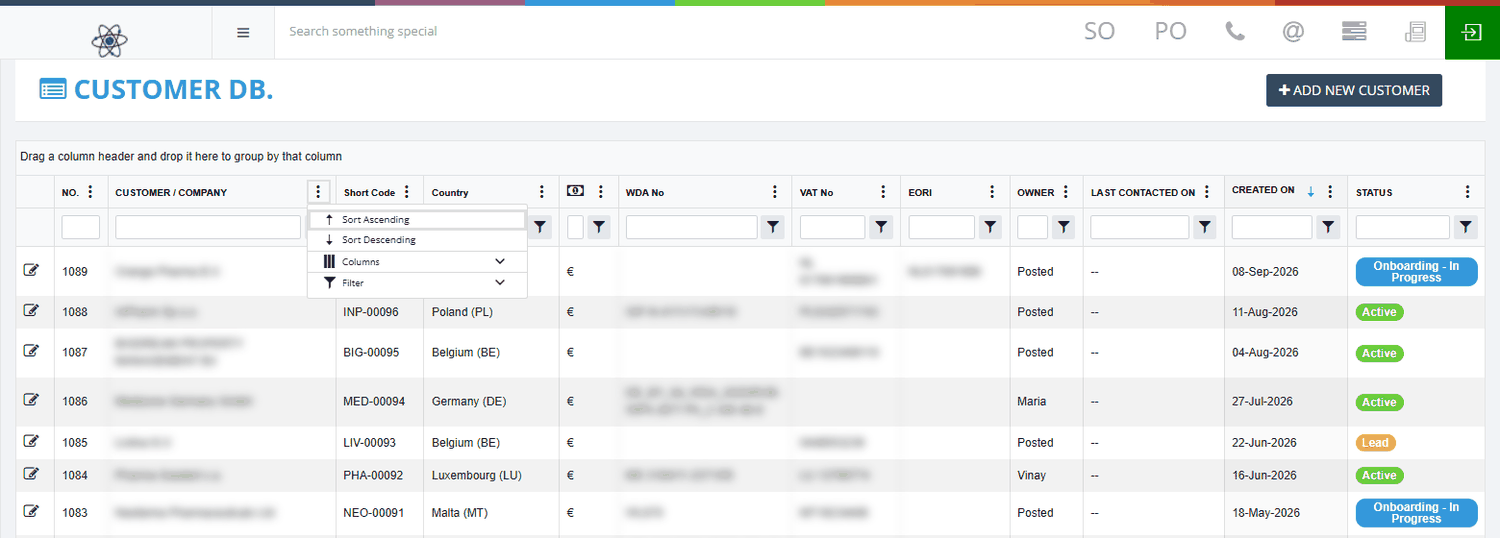
- To show or hide a column, click the three-dot menu beside a heading and choose Columns.
- Tick a column to show it. Untick it to hide it.
Group customers and move between pages
- Group: drag a column heading, for example Country, onto the bar that says "Drag a column header and drop it here to group by that column".
- Pages: the list shows 50 customers per page. Use the page buttons below the list.
- Count: the number at the bottom shows how many customers match.
Note: Your searches, sorting and hidden columns are reset when you reopen the page.
Open a customer's details
- Click the customer's row in the list.
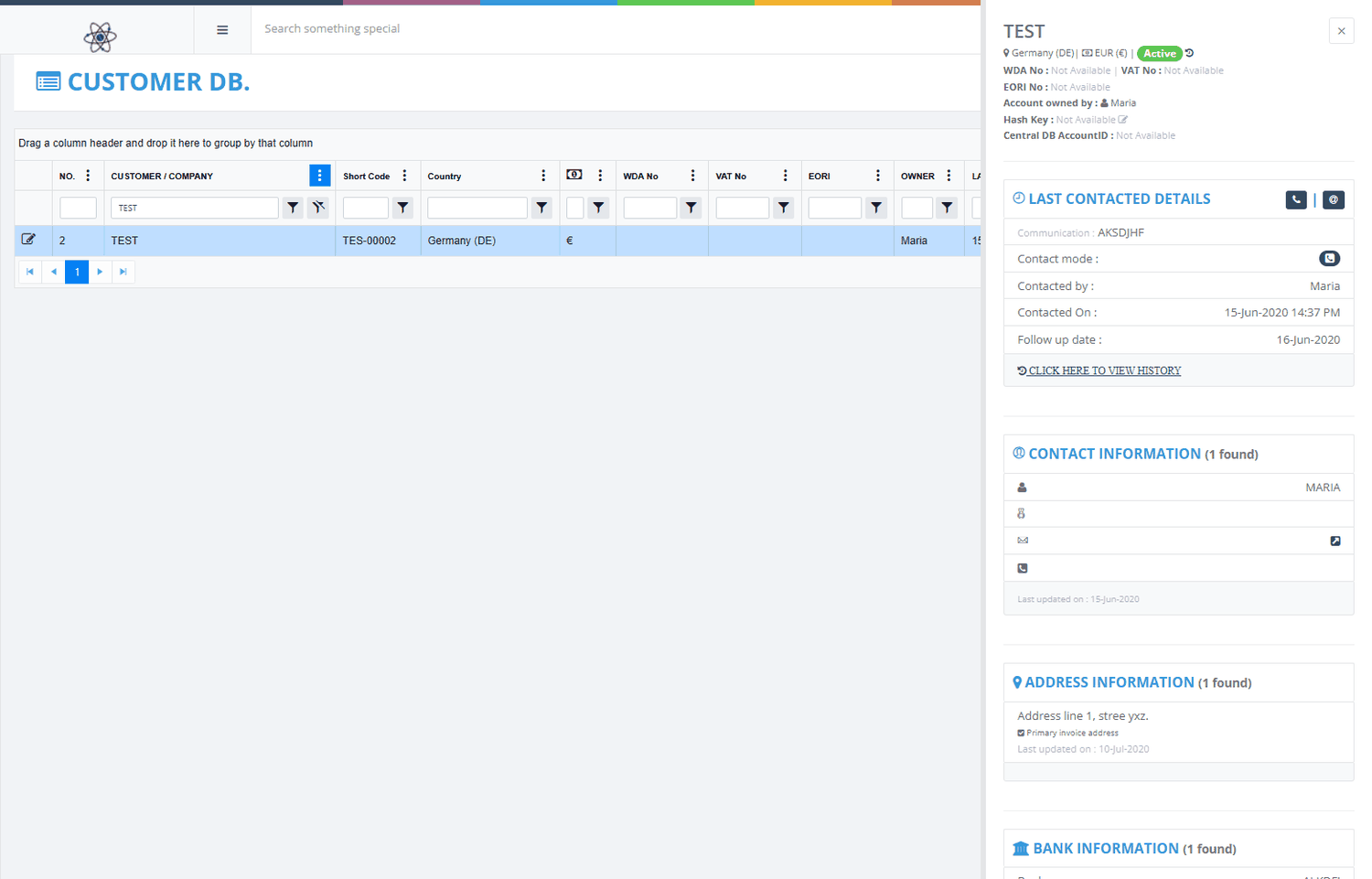
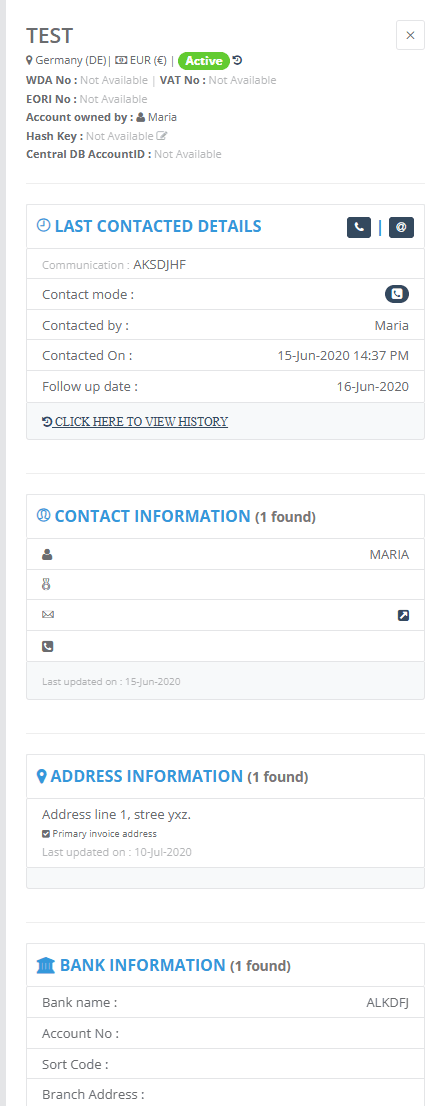
- A panel opens on the right side. This is the side panel.
- Read the details, then press Esc or click the x at the top to close it.
Opening and closing the panel does not change anything.
| Part of the panel | What it shows |
|---|---|
| Top | Company name, country, currency and status. The pencil changes the status. The clock opens the status history. |
| Details | Business area, email, phone, website, WDA, VAT, EORI and the account owner. |
| LAST CONTACTED DETAILS | The latest call or email, who made it, when and the follow-up date. |
| Sales totals | The number and value of Sales Orders, Sales Invoices and Sales Credit Memos. |
| CONTACT INFORMATION | The contact people. The main contact is marked. |
| ADDRESS INFORMATION | Invoice, office and warehouse addresses, with the main one marked. |
| BANK INFORMATION | The customer's bank details. |
Note: Use the email link to open your mail program. If you cannot see the phone number, open the edit page. Do not change integration identifiers unless your administrator asks you to.